Smart IoT Device App
QR onboarding, device pairing, and smart room control in one mobile app.
Overview
Connecting smart devices with less setup friction
IoT app သည် smart device များကို QR code ဖြင့် လျင်မြန်စွာ ထည့်သွင်းနိုင်ရန်၊ Bluetooth နှင့် WiFi setup များကို အဆင့်လိုက် ပြုလုပ်နိုင်ရန်၊ room/device dashboard မှ energy usage နှင့် device status များကို mobile-first experience ဖြင့် စီမံနိုင်ရန် ဖန်တီးထားပါသည်။
Product Screens
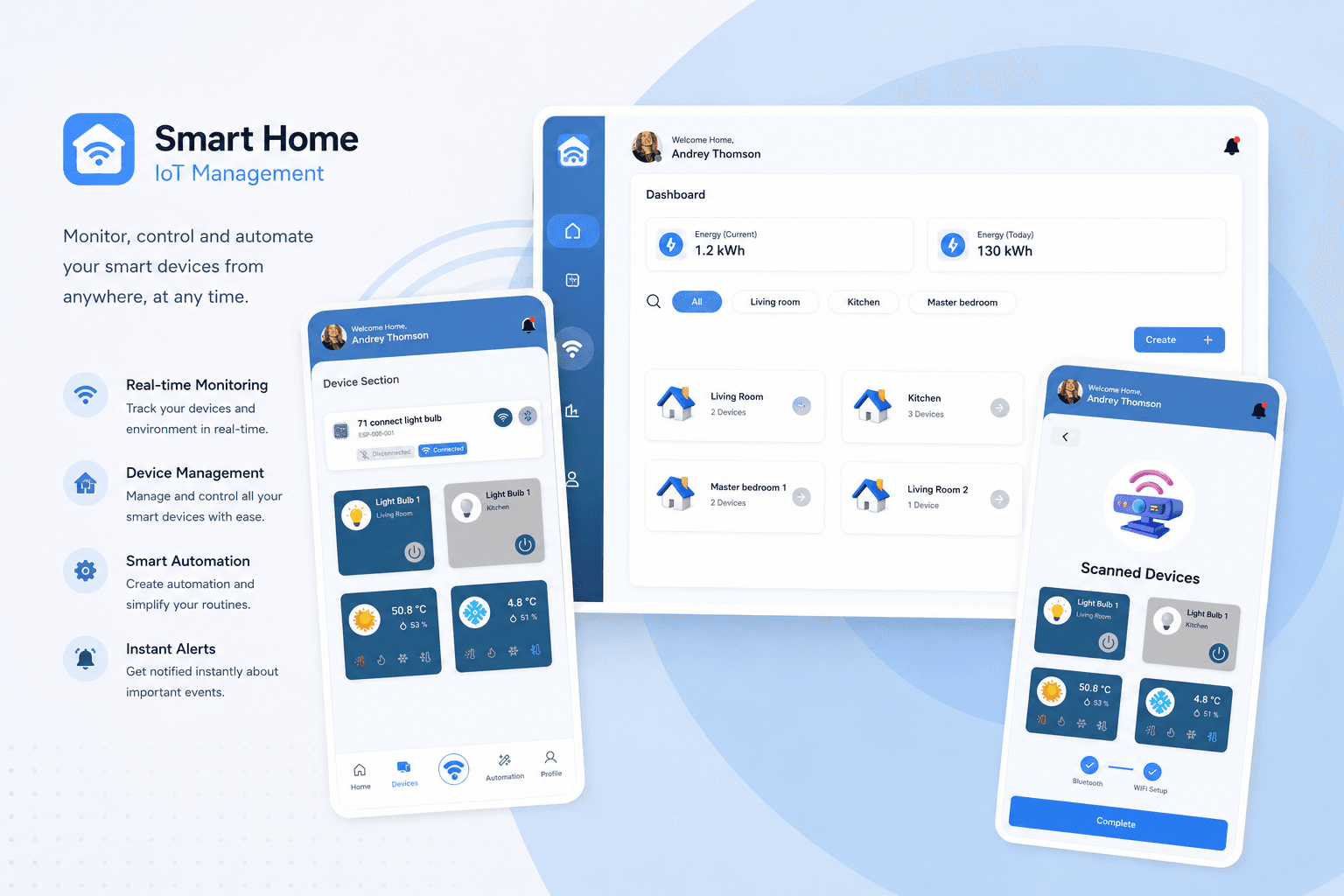
Smart IoT Device App
iot project asset folder မှ onboarding, pairing journey, dashboard နှင့် device control screen များကို စုစည်းတင်ပြထားပါသည်။
QR Device Onboarding
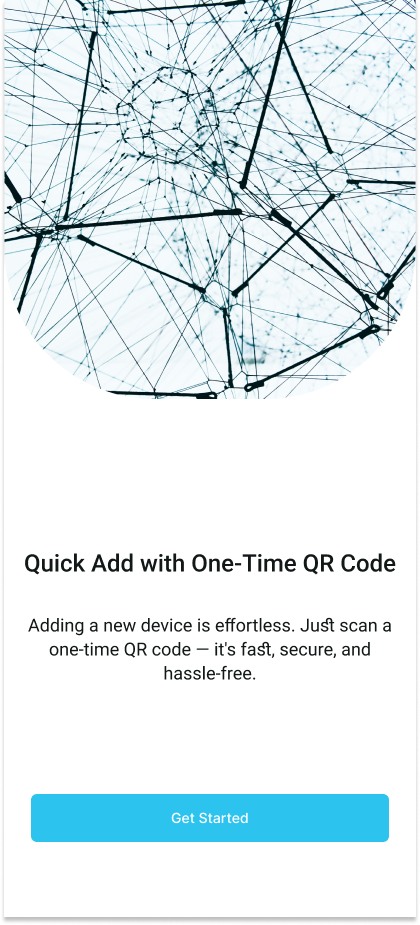
Onboarding Interface
Device အသစ်များကို one-time QR code ဖြင့် လျင်မြန်စွာ ထည့်သွင်းနိုင်ရန် app entry screen ကို ရိုးရှင်းပြီး action-focused ဖြစ်အောင် ဖန်တီးထားပါသည်။
Account Registration
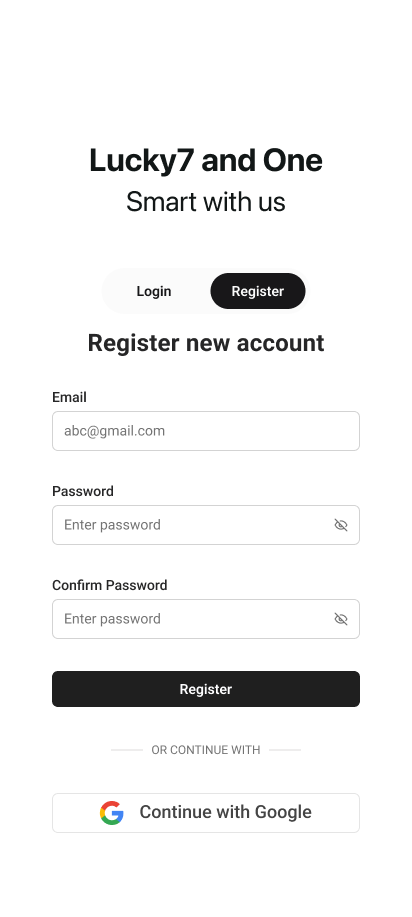
Register Interface
Smart home device များကို ကိုယ်ပိုင် account ဖြင့် စီမံနိုင်ရန် email/password registration နှင့် Google sign-in option ပါဝင်သော onboarding screen ဖြစ်ပါသည်။
OTP Verification
Verification Interface
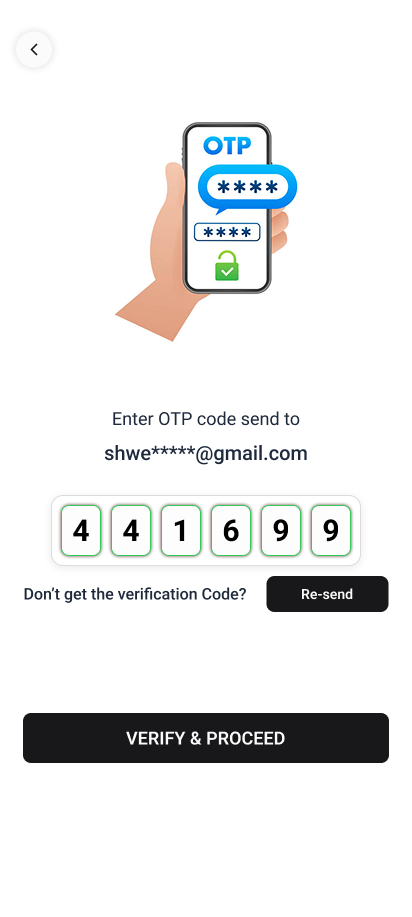
Account activation ကို လုံခြုံစေရန် OTP code အတည်ပြုခြင်း၊ resend action နှင့် verify flow ကို mobile screen အတွင်း ထည့်သွင်းထားပါသည်။
Smart Room Dashboard
Dashboard Interface
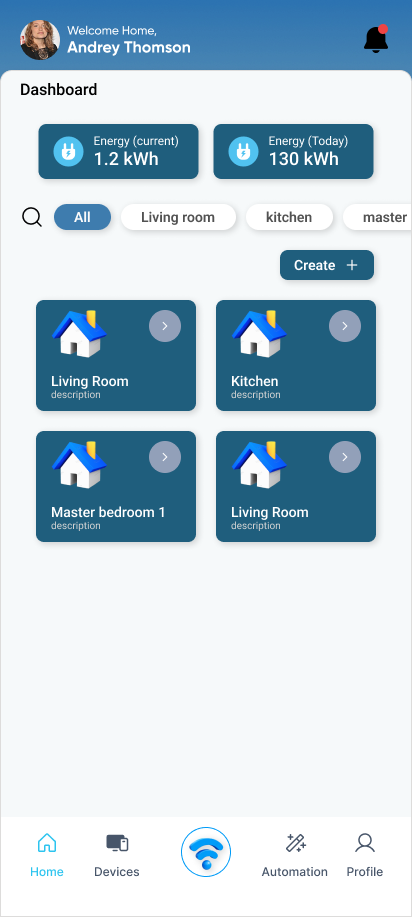
Energy usage summary, room category filter နှင့် smart space cards များကို dashboard တစ်ခုတည်းတွင် မြင်သာစွာ စီမံနိုင်ရန် တည်ဆောက်ထားပါသည်။
Device Discovery
Devices Interface
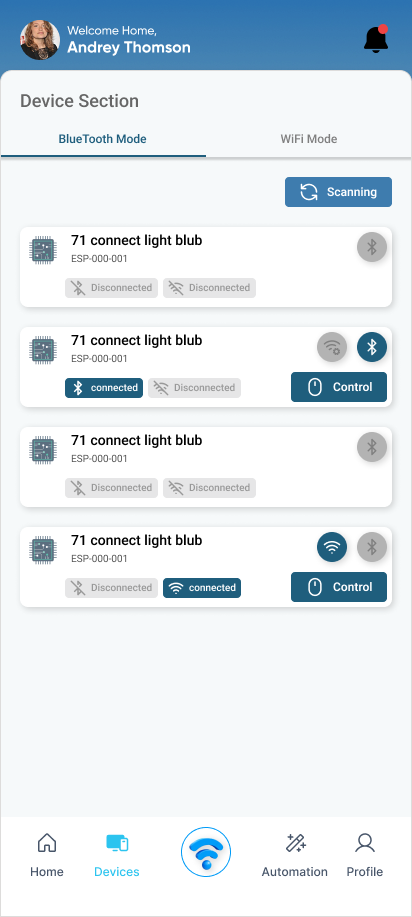
Bluetooth/WiFi mode ဖြင့် device များကို scan လုပ်ပြီး connection status နှင့် control action များကို list view ထဲတွင် တစ်ပြိုင်နက် စစ်ဆေးနိုင်ပါသည်။
Bluetooth Connection
Pairing Interface
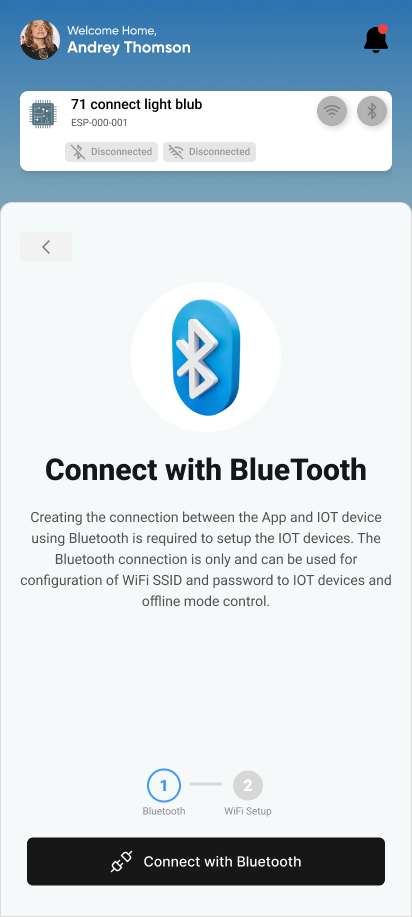
IoT device နှင့် app ကြား local setup စတင်နိုင်ရန် Bluetooth connection အဆင့်ကို device context နှင့် progress indicator ပါဝင်အောင် ဖန်တီးထားပါသည်။
WiFi Configuration
Network Interface
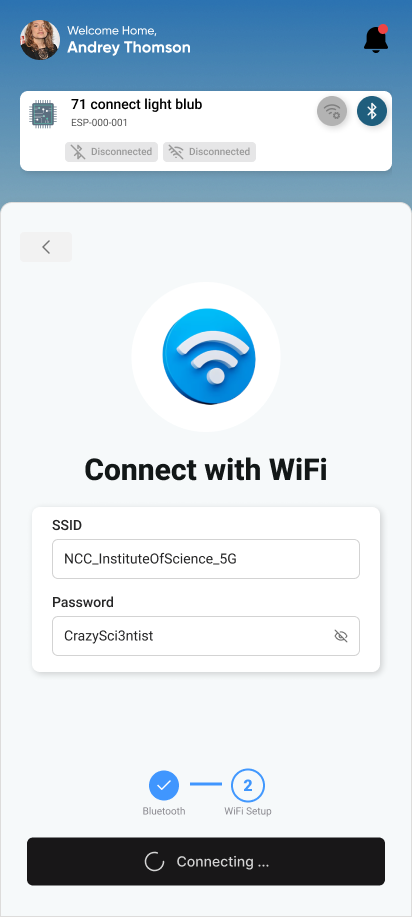
Device ကို network ချိတ်ဆက်ရန် SSID နှင့် password ထည့်သွင်းပြီး WiFi setup progress ကို အဆင့်လိုက် ဆက်လက်လုပ်ဆောင်နိုင်ပါသည်။
Device Control Panel
Control Interface
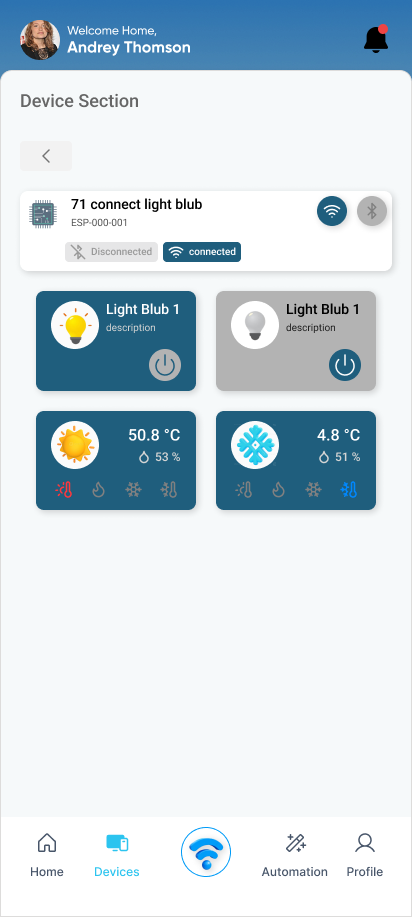
Connected device များကို on/off control ပြုလုပ်နိုင်ပြီး temperature, humidity နှင့် smart appliance status များကို control panel မှ စောင့်ကြည့်နိုင်ပါသည်။
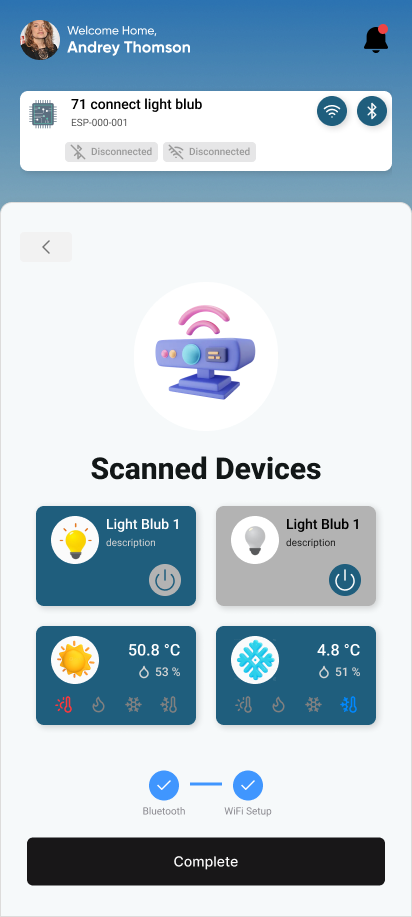
Scanned Device Summary
Complete Interface
Bluetooth နှင့် WiFi setup ပြီးဆုံးပြီးနောက် detected device များကို summary view ဖြင့် ပြသကာ complete action မှတစ်ဆင့် control flow သို့ ပြန်လည်ဝင်နိုင်ပါသည်။